Quick PDF Pro
Every tool is free with a free account. Pro removes the watermark from everything you save, on the whole site.
Free
$0
- All tools: edit, sign, fill, merge, split, compress, scan, convert
- Files stay on your device
- Light “Quick PDF · quickpdfapp.com” watermark on each saved page
7-day free trial
Pro
- Everything in Free
- No watermark on any PDF or image you save, on every tool
- Works on every device where you sign in
- Cancel anytime
Free for 7 days, then $2.99/mo. Cancel anytime.$2.99/mo, cancel anytime.
A card is needed to start. Cancel before the trial ends and you won’t be charged. One free trial per account.
Pro can’t be bought in the Android app yet. Pro bought on quickpdfapp.com works in the app too.
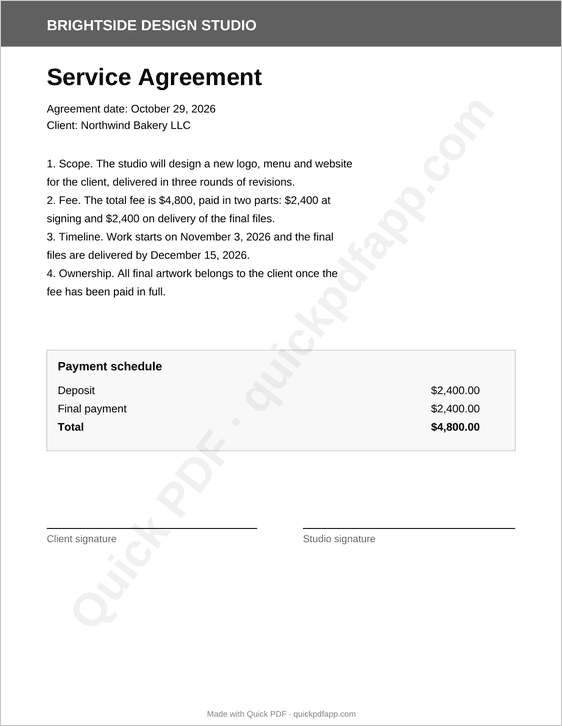
What the watermark looks like
A large, light “Quick PDF · quickpdfapp.com” across the middle of each page (and each image), plus a small “Made with Quick PDF” line at the bottom. It’s see-through, so everything underneath stays readable, and nothing in your document is changed or removed.
Your account
Sign in to see your plan.
Questions
What’s the difference between Free and Pro?
Only the watermark. Every tool works the same on both.
How do I cancel?
Anytime at quickpdfapp.com/cancel: enter your email, then Cancel plan. Cancel during the free trial and you pay nothing. Pro stays on until the end of the period you paid for, then the watermark comes back.
Do I need an account?
Yes, for every tool (Free and Pro). Pro belongs to your Quick PDF account, so it works on every device where you sign in.
Is there a free trial on the yearly plan?
No. The 7-day free trial is on the monthly plan. The yearly plan is $29.78, billed once a year (17% less than 12 months at $2.99), and renews yearly until you cancel.
Is my file uploaded?
No. Files are edited and saved on your device, on Free and on Pro. The watermark is added on your device too.